
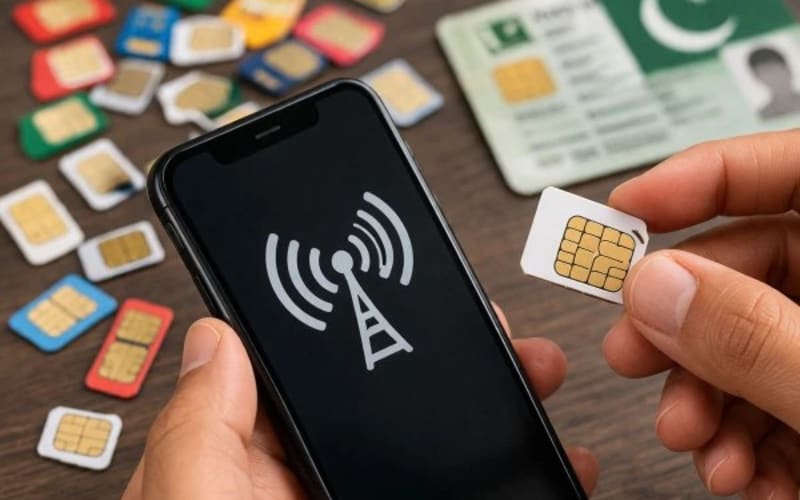
Quick answer: To check how many SIMs are registered on your CNIC, send your 13-digit CNIC number without dashes by SMS to 668, or enter it on PTA's official portal cnic.sims.pk. Both are run by the Pakistan Telecommunication Authority (PTA) and show your SIM count per operator — Jazz, Zong, Telenor, Ufone and SCO. The portal is free; the SMS costs a small charge, usually around Rs 2 plus tax.
Why you should check, even if you think you know
Every SIM in Pakistan is tied to a CNIC through biometric verification, so a SIM in your name is your responsibility. If someone got a SIM issued against your CNIC — through a lost CNIC copy, a shop that misused your thumbprint, or an old number you forgot — it could be used for fraud while the record still points at you. PTA warned in June 2026 that the registered owner can be held responsible if a SIM is used for something unlawful.
Method 1: Check by SMS to 668 (works on any phone)
- Open the messaging app on any phone — a basic keypad phone works too, with no internet needed.
- Type your 13-digit CNIC number with no dashes or spaces, for example 6110123456789. Do not add any other words.
- Send it as an SMS to 668. Do not dial 668 as a call — it is an SMS short code only.
- Wait for the reply, which lists how many SIMs are registered against your CNIC with each operator, plus the total.
Keep a little balance on the SIM you send from: the SMS usually costs around Rs 2 plus tax. If no reply arrives within a few minutes, check that you typed all 13 digits correctly and resend once.
Method 2: Check online at cnic.sims.pk (free, with a screen)
- Open a browser and go to cnic.sims.pk — type the address yourself rather than clicking a link in a random message.
- Enter your 13-digit CNIC number without dashes.
- Complete the security check (captcha) if shown, and press Submit.
- Read the result: a table showing the number of SIMs registered against your CNIC for each operator, and the total.
The portal is free and works from anywhere, handy if you are abroad or out of balance. If the page does not load, retry after a few minutes, and turn off any VPN first, since it can interfere with the portal.
Which method should you use?
| Method | What you need | Cost | Best for |
|---|---|---|---|
| SMS to 668 | Any phone, a little balance | About Rs 2 plus tax | Quick checks, keypad phones, no internet |
| cnic.sims.pk | Phone or computer with internet | Free | A readable on-screen result you can screenshot and keep |
What the result shows — and what it does not
The check shows counts per operator: for example, 2 with Jazz, 1 with Zong, 0 with the rest, total 3. It does not list full phone numbers, and it cannot tell you who owns somebody else's number — no official public service in Pakistan looks up a stranger's name or CNIC from a phone number, and any site or app claiming to do that is unsafe and should not be trusted with your CNIC.
To check one particular SIM, text MNP to 667 from it; to fully identify an unknown number, visit the franchise with your original CNIC (below).
How many SIMs can one CNIC hold?
PTA's current limit is five SIMs on one CNIC across all networks combined, confirmed again by the PTA chairman before a National Assembly committee in September 2026. If your check already shows five, no network can issue you a sixth until you block or disown one of the existing five.
You found a SIM you do not recognise — do this now
- Note the operator. Your result shows which network the extra SIM belongs to — that tells you whose franchise to visit.
- Visit that operator's franchise with your original CNIC, ask staff to block and disown the unauthorised SIM, and complete the biometric verification they ask for. This removes it from your name.
- Ask for proof. Keep the receipt or reference number, and re-run the check after a day or two to confirm the count has dropped.
- If the franchise cannot help, escalate. Call the operator's helpline — Jazz 111, Zong 310, Ufone 333, Telenor 345 — for a temporary block, or complain to PTA on its free helpline 0800-55055, quoting any reference numbers you collected.
Never pay anyone online to "remove" a SIM, and never send a CNIC photo to a stranger offering to fix it. Blocking is free at the franchise.
Checklist: before you buy a new SIM
- Buy only from an authorised franchise or retailer, and watch your own thumbprint being scanned — never let a shop keep your CNIC copy or scan your thumb for a SIM you did not ask for.
- After activation, text MNP to 667 from the new SIM to confirm it is in your name.
- Keep a note of every number on your CNIC, and re-check after any SIM is blocked or closed.
Related guides
Also read how to check your Sui gas bill online.
Frequently asked questions
Can I check SIMs on someone else's CNIC?
No. Both tools are meant for your own CNIC, and no official tool reveals another person's numbers or address from a phone number.
Does the check show the actual phone numbers?
No — only counts per operator. To identify a specific number, text MNP to 667 from that SIM, or visit the operator's franchise with your original CNIC.
Is the 668 SMS free?
The portal is free. The SMS usually costs around Rs 2 plus tax, so keep a small balance before sending.
Can I check from abroad?
Yes, through cnic.sims.pk, which only needs internet. The 668 SMS needs a Pakistani SIM and works inside Pakistan.
What if my count is already five?
You cannot get a new SIM on that CNIC until you free a slot: visit the franchise holding a SIM you no longer use, with your original CNIC, and ask them to block and disown it.
I lost my CNIC. Can I still check?
You need the 13-digit number itself. Recover it from an old document that shows it, or visit NADRA — and treat a lost CNIC as urgent, since it is exactly what SIM fraud relies on.
Steps and numbers checked on 2 November 2026. PTA's portals and charges can change; if a page looks different, use the SIM check link on PTA's official homepage.
Explore more businesses in Telecom Companies
Browse more verified listings in this category to compare services and contact top providers.
Explore CategoryRelated Blogs
Continue reading related guides to deepen topic relevance.
Top IT & Services Businesses in Multan (2026 Guide)
Discover Multan's growing IT scene from a women-only ride app to digital marketing agencies and tax tools. See who's leading tech and services in the city.
Top Education Institutes & Schools in Multan (2026 Guide)
From Bahauddin Zakariya University to top schools and IT institutes, explore Multan's leading education providers shaping students' academic and career paths.
3 Standout Local Shops & Traders in Lahore (2026 Guide)
From luxury bridal couture to industrial machinery and digital blogs, meet 3 standout local shops and traders making their mark in Lahore.