
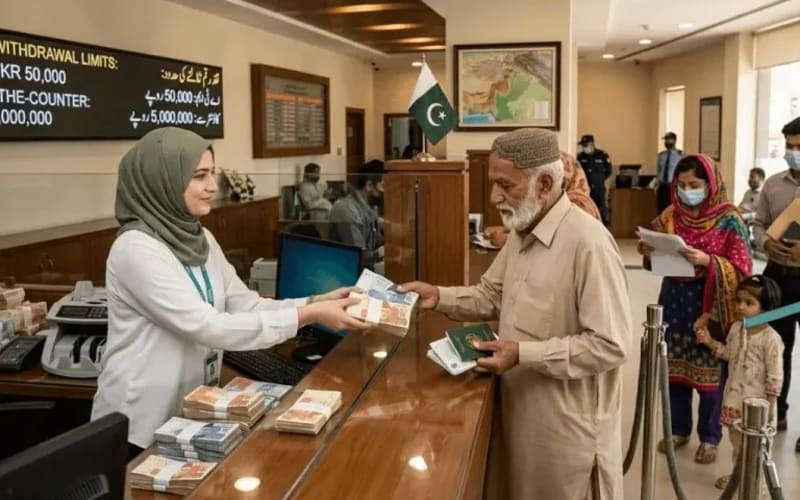
Quick answer: To open a bank account in Pakistan you need your original CNIC, proof of your source of income (salary slip, job letter or business proof) and biometric verification with NADRA, which the bank does on the spot. If you have no income documents, open an Asaan Account instead: it opens with a simple form and a starting deposit of Rs 100, with a maximum balance of Rs 500,000. You can also open an account from home through most banks' apps using your CNIC and a mobile SIM registered in your own name.
Which type of account should you choose?
| Account type | Best for | Good to know |
|---|---|---|
| Current account | Businesses, traders, salaried people with many transactions | No profit is paid; no limit issues for daily business use; needs income proof |
| Savings / PLS account | Saving money and earning some profit | Profit is paid on your balance; rates differ by bank |
| Asaan Account | Students, housewives, daily-wage earners, anyone without income documents | Simplified form, Rs 100 opening deposit, balance limit Rs 500,000, monthly debit limit Rs 500,000 |
| Asaan Digital Account | Opening from home on your phone | Opened in the bank's app with CNIC photos and live verification; limits are higher than the branch Asaan Account — the app shows the current limits |
| Roshan Digital Account | Overseas Pakistanis | Opened online from abroad in PKR or foreign currency |
Documents you need at the branch
- Original CNIC (the bank verifies it with NADRA through biometric thumb verification).
- Proof of source of income for regular accounts: salary slip or employer letter for salaried people; business registration, NTN or a shop/business document for traders. Requirements vary a little by bank and account type.
- Proof of address if your current address differs from the CNIC address (a recent utility bill is commonly accepted).
- For an Asaan Account, the list shrinks to your CNIC and a short self-declaration of your occupation and income source — no salary slip or business papers.
- Students and minors: a student card or Form-B may be asked for, depending on the account.
How to open an account at a branch, step by step
- Choose the bank and branch. You can compare branches near you in the bank directory on PkBizGuide — every branch page shows its branch code, address and contact details.
- Take your original CNIC and income documents. Ask for the account opening form for your account type (the Asaan form is a single simple page).
- The bank does your biometric verification against NADRA and may also verify your CNIC details electronically.
- Deposit the opening amount (as low as Rs 100 for Asaan) and collect your account number. Ask when your debit card and cheque book will be ready, and activate mobile banking before you leave.
How to open an account online from home
- Download your chosen bank's official app or open its website's digital account page.
- Enter your CNIC number and the mobile number registered against your own CNIC — an OTP confirms the SIM is yours.
- Upload clear photos of the front and back of your CNIC and complete the live selfie/liveness check.
- Fill in your address, occupation and source of income, choose the account type, and submit. The bank verifies your details with NADRA; activation is usually quick, and a debit card is delivered to your address if you order one.
Common problems and fixes
| Problem | Fix |
|---|---|
| Biometric verification fails | Try another finger and make sure your hands are dry. If it keeps failing, your fingerprints may need updating at a NADRA office — banks cannot skip this step. |
| SIM is not in your name | Digital account opening needs a SIM registered on your own CNIC. Get the SIM transferred to your name at your mobile company's franchise first. |
| Name or date of birth mismatch | Your form details must match the CNIC exactly. Correct any NADRA record error at NADRA before reapplying. |
| No income proof for a regular account | Open an Asaan Account instead and upgrade later when you have documents — banks allow conversion. |
| Account opened but debit blocked | This usually means a verification step is pending (for example biometric). Visit any branch of your bank to complete it. |
Frequently asked questions
Can I open an account with only a CNIC?
Yes — that is exactly what the Asaan Account is for. Regular current and savings accounts also ask for proof of income.
How much money do I need to open an account?
An Asaan Account opens with Rs 100, and the bank cannot demand more as the initial deposit. Other accounts vary by bank.
What are the Asaan Account limits?
Under State Bank rules, the maximum credit balance is Rs 500,000 and the monthly debit limit is Rs 500,000. Digital Asaan accounts carry higher limits, shown in your bank's app.
Can one person open Asaan accounts in two banks?
Yes, one Asaan Account per bank is allowed; you cannot open two Asaan accounts in the same bank.
Do I need an NTN or to be a tax filer to open an account?
No. Anyone with a valid CNIC can open an account. Being a filer matters for taxes and some transactions, not for opening the account itself — see our guide on checking your filer status.
How long does account opening take?
At a branch, usually the same visit once biometric verification succeeds. Digital accounts can activate within minutes to a day, depending on verification.
Before you go
Pick your branch from the PkBizGuide bank directory, and if a form ever asks for your branch code, our guide on finding your bank branch code shows five easy ways to get it.
Facts checked on 1 November 2026 against State Bank of Pakistan guidance. Bank requirements can differ slightly; your branch confirms the final list.
Explore more businesses in Bank
Browse more verified listings in this category to compare services and contact top providers.
Explore CategoryRelated Blogs
Continue reading related guides to deepen topic relevance.
How to Find Your Bank Branch Code in Pakistan (Any Bank, 5 Easy Ways)
Need your branch code for a form, salary account or transfer? Here are 5 simple ways to find the branch code of any bank in Pakistan — from your cheque book, IBAN, app, or a branch listing.
ATM Card Captured by the Machine in Pakistan? Do These 7 Things Immediately
If an ATM keeps your card in Pakistan, stay calm and act fast: note the details, call your own bank's helpline, get a complaint number, and escalate to SBP Sunwai if needed. All 7 steps explained in order.
How to Send Money to Pakistan from Abroad: Roshan Digital Account and Remittance Options
Send money to Pakistan from abroad the safe, cheap way: open a Roshan Digital Account online, compare Wise, Remitly, Western Union and bank transfers, and get cash pickup or bank deposit for your family. Fees, speed and steps explained.